


Column Operations
Calculate Min, Max, Sum, and Average for numeric fields directly in Table and Tree views.

Transcript

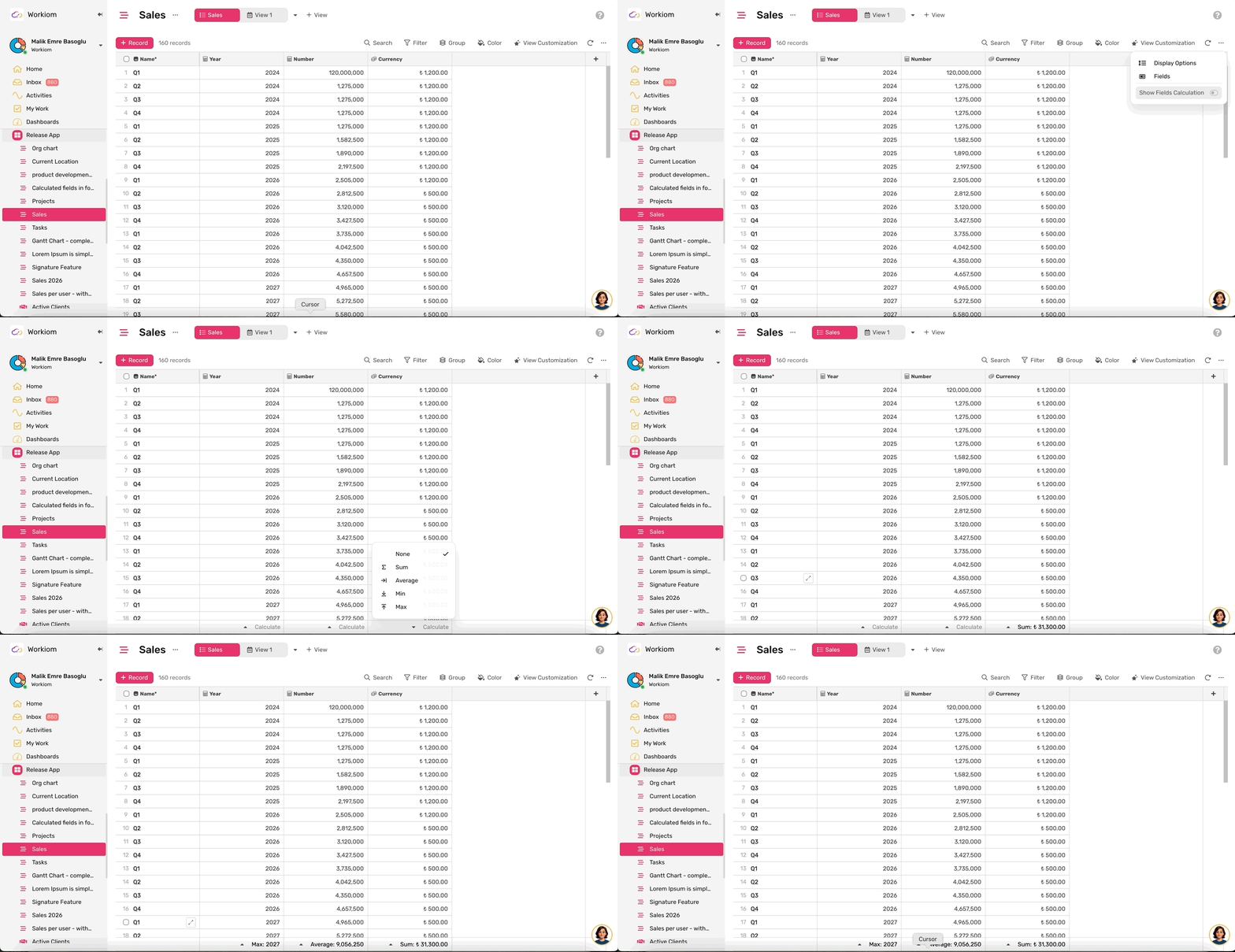
Column Operations let you run quick calculations — minimum, maximum, sum, and average — on numeric fields directly in your Table and Tree views. Results update automatically as you filter or scroll, so you always see accurate numbers for what's visible.
Enable the Calculation Bar
- Open your Table or Tree view
- Click Customize to open view settings
- Toggle on Calculate on Field — a calculation bar appears at the bottom of the view
Select an Operation
- Hover over the bottom bar under any column
- Click the triangle (▾) icon that appears
- Choose your operation: Min, Max, Sum, or Avg
- To remove a calculation, hover over the same column in the bottom bar and select None.
Supported Field Types
Column Operations work with numeric fields only:
- Number
- Count
- Currency
- Field Lookup (numeric output)
- Rollup (numeric output)
- VLookup (numeric output)
- Formula (Number or Currency output)
- AI fields (Number or Currency output)
How Results Work
- Table view — Results show in the bottom bar, aligned under each column. Calculations reflect only the rows currently visible based on your active filters.
- Grouped Table view — Each group displays its own result at the top of the group. The bottom bar also shows the overall total across all groups.
- Tree view — Parent rows show calculations for their immediate children only, not nested descendants. The bottom bar shows the overall total for all visible rows.
Notes
- Only one operation can be active per field at a time
- Results update automatically when you filter, sort, or scroll
- Fields returning non-numeric values are not eligible for calculations