


Rollup
Let’s say you used a linked list to connect all the invoices issued for a specific project, and easily get the Sum of all of those invoices using Rollup, not only Sum, Average, Min, Max and Count.

Transcript

Rollup lets you calculate values from linked records using Sum, Average, Min, Max, or Count.
Creating a Rollup Field
To create a Rollup field:
- Under any list, click Fields
- Click + Create New Field
- Enter a field name
- Select Rollup from the Field Type dropdown
- Choose your referenced list
- Continue with one of the methods below, depending on where your Linked List exists
Method 1 — Linked List Exists in the Target List
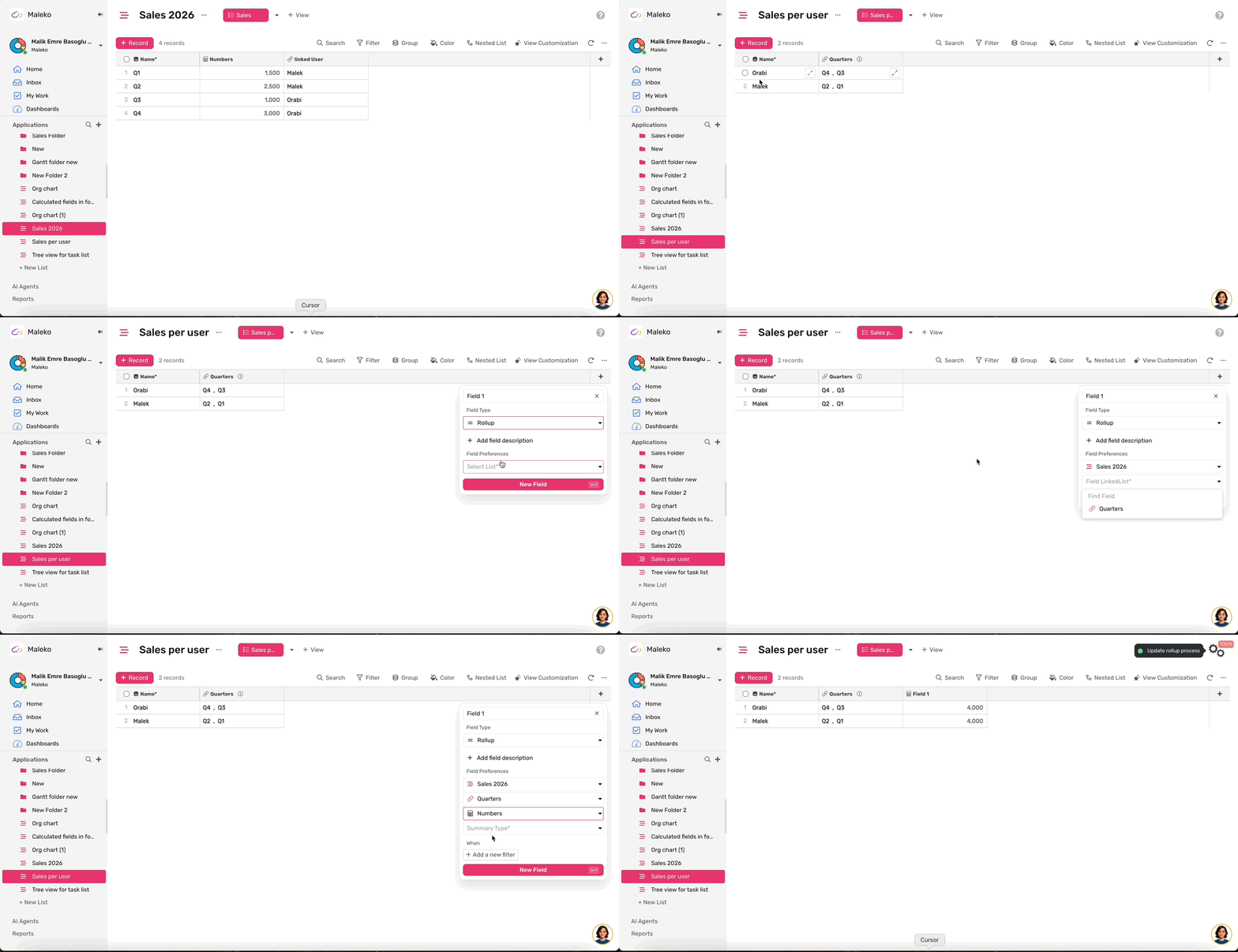
Use this method when your current list already has a Linked List field connected to the referenced list.
- Select the referenced list
- Choose the Linked List field in your current list
- Select the field you want to calculate
- Choose a Rollup type:
- Sum — Total of all linked values
- Average — Average of all linked values
- Min — Lowest linked value
- Max — Highest linked value
- Count — Number of linked records with non-empty values
Method 2 — Linked List Exists Only in the Referenced List
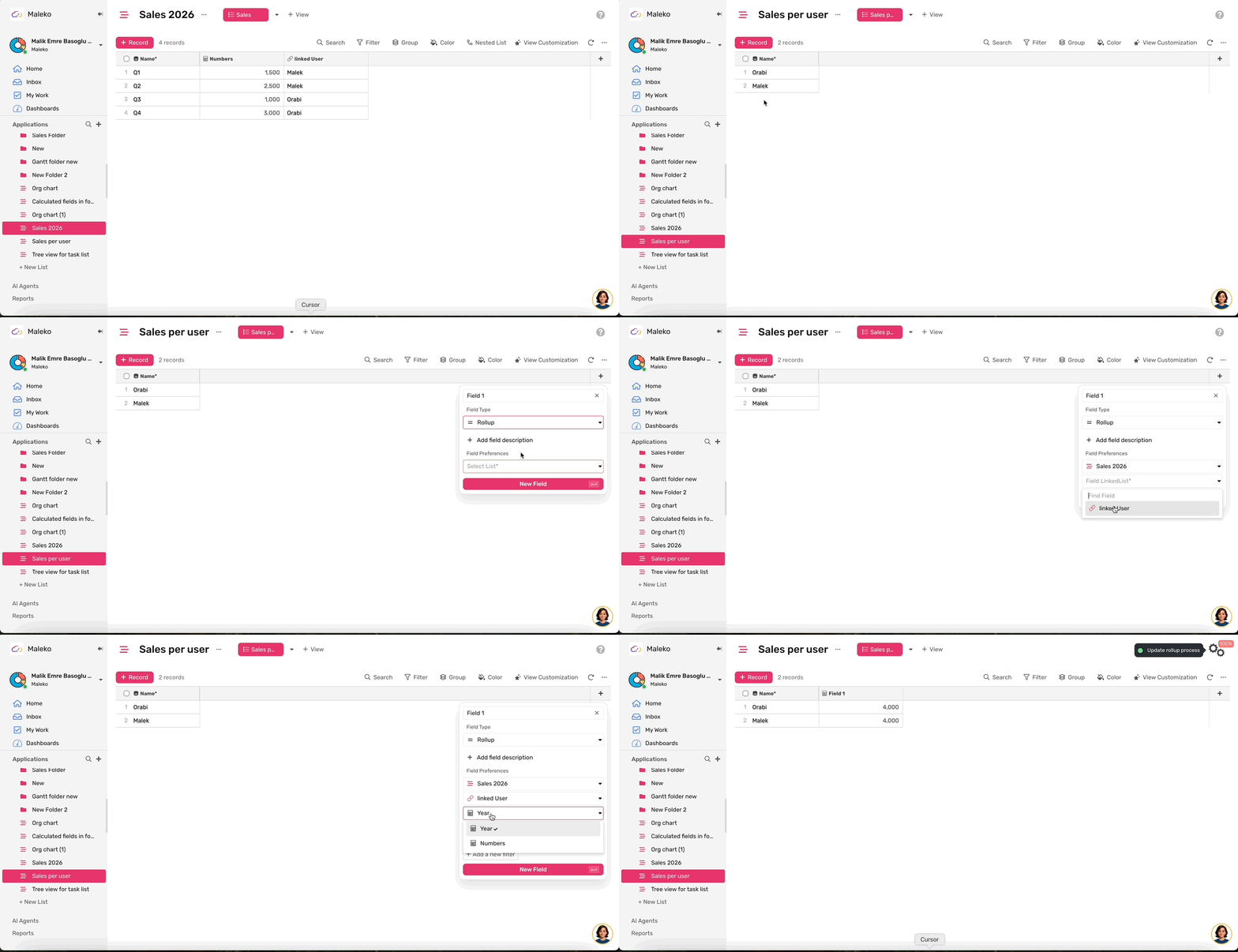
Use this method when your current list does not have a Linked List field, but the referenced list links back to your current list.
- Select the referenced list
- Choose the Linked List field in the referenced list
- Select the field you want to calculate
- Choose a Rollup type: Sum, Average, Min, Max, or Count
Once you've completed these steps, your Rollup field will automatically calculate the selected value from the linked records.
Case Studies
Case 1
- Install the SaaS Product Management Module
- Go to the Features list
- Find the field named “Estimated Effort”, you will notice the following:
- The field is of type Rollup
- It gives you the total of all Estimations of the linked Isseus.
- This gives you a better idea of how much your team needs to complete this feature.
Case 2
- Install the CRM Module
- Go to the Sales App
- Go to deals list
- Under the list look for the “Calculated Amount” field, you will notice the following:
- The field is of type Rollup
- It gives the total of the Prices of all Products connected through the Products Field.