


Org Chart View
Visualize organizational hierarchies in an interactive chart that makes reporting structures easy to explore.


The Org Chart View helps you visualize organizational hierarchies in an interactive, spatial format. Perfect for managing employee reporting structures and department hierarchies, it makes it easy to see the big picture and navigate through organizational levels at a glance.
Note: Org Chart View is only available for Data Lists.
How to Set Up an Org Chart View
1. Create Hierarchical Relationships
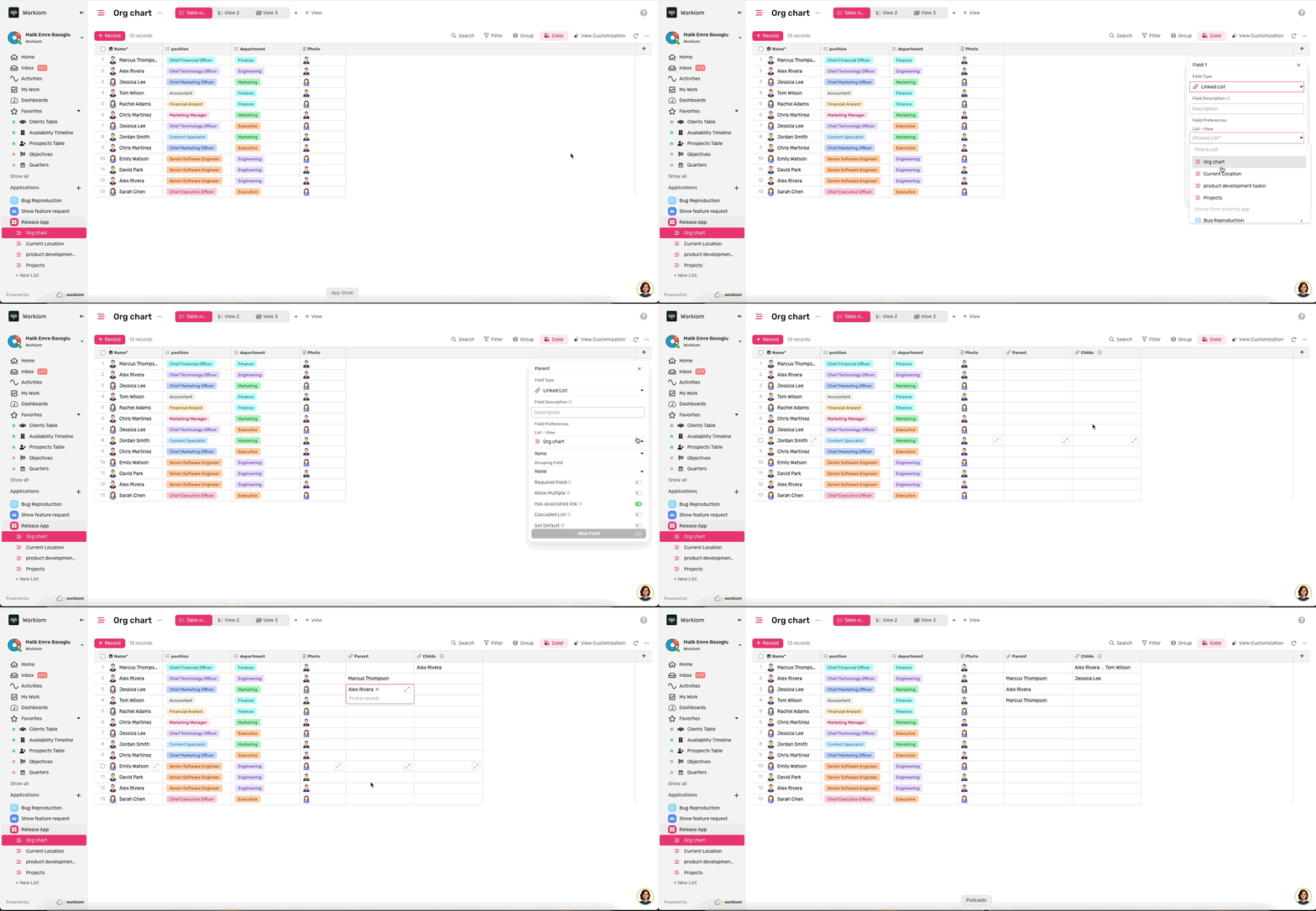
First, establish parent-child relationships in your list:
- In Table View, click Add Field and select Linked List
- Name it "Parent" and link it to the same list
- Enable "Has Associated" (required) and name the associated field "Child"
- Save the field, then link each record to its parent
2. Create the Org Chart View
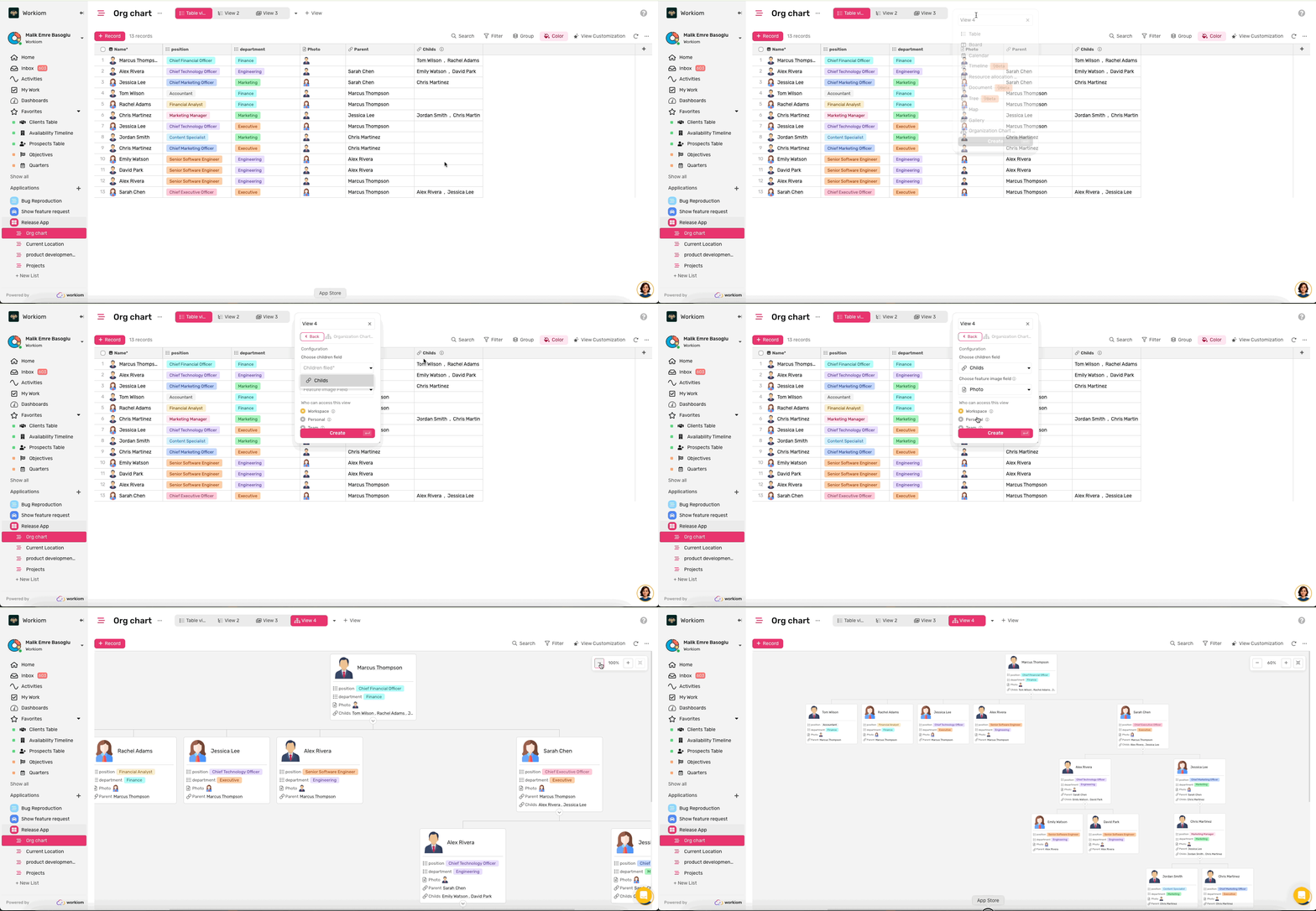
- Click Add View and select Org Chart
- Choose the Child Field (required)
- Select a Thumbnail Field (recommended) to display profile pictures
- Click Create View
When you first open the view, you'll see the entire hierarchy fully expanded.
Navigate Your Org Chart
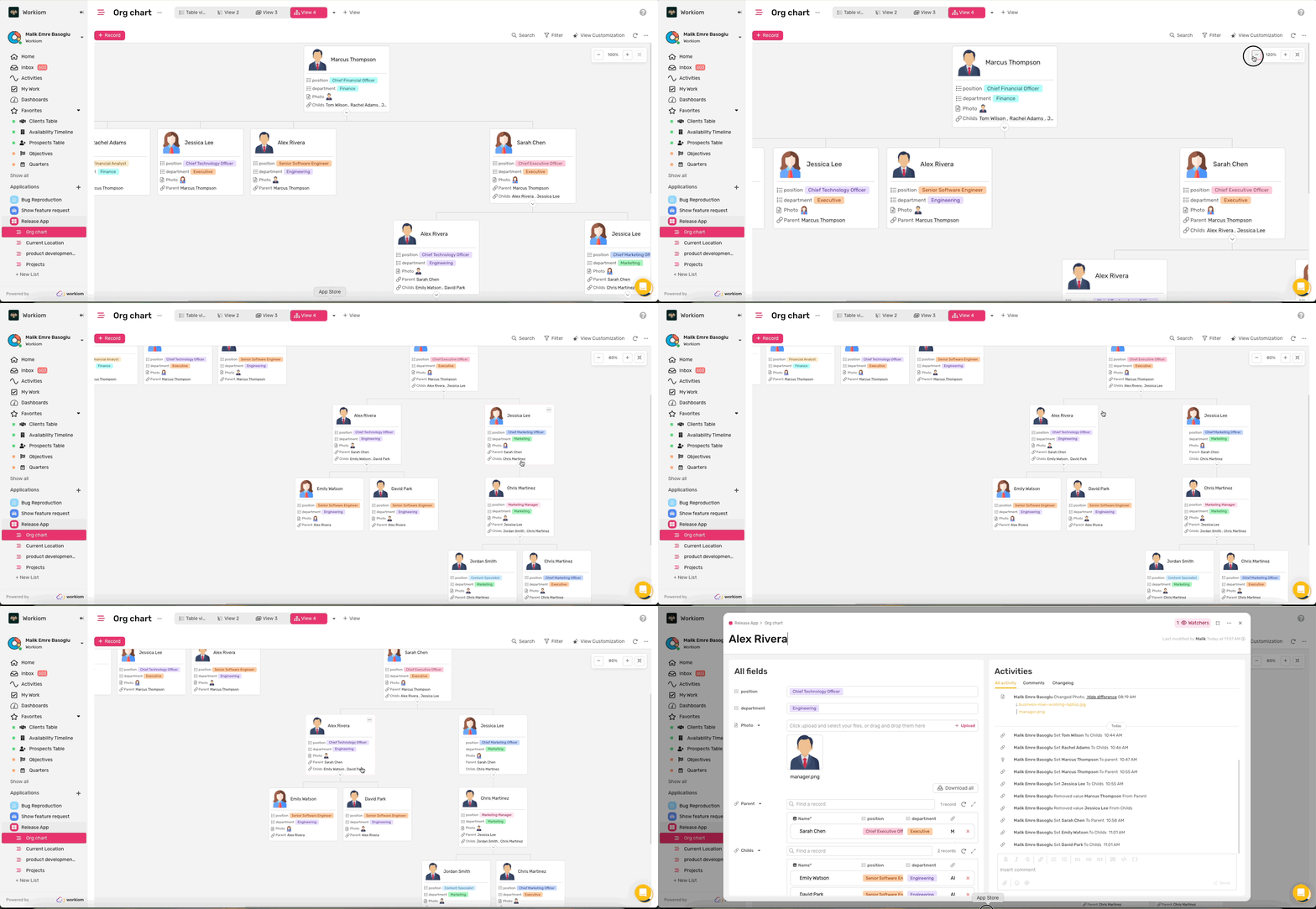
- Zoom In/Out: Use zoom controls to adjust your view
- Pan Around: Use your trackpad freely in any direction—move right, left, up, or down naturally. You can also hold Space + Left Click and drag with a mouse.
- Expand/Collapse: Click the arrow icon on any card to show or hide direct reports
- View Details: Click any card to open the record detail modal
Edit and Export Your Org Chart
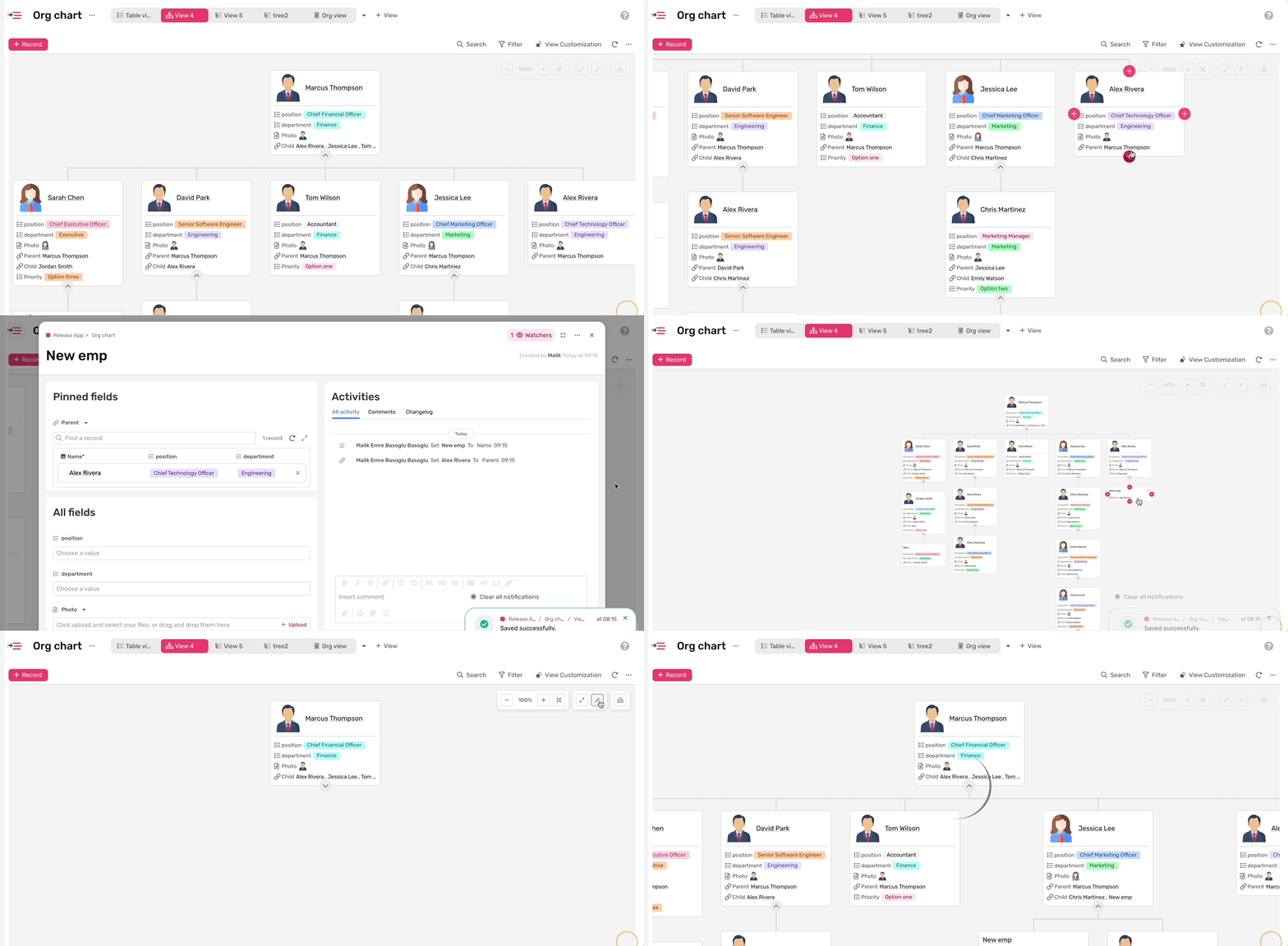
- Quick Card Creation: Hover over any card to reveal + buttons on its edges, then add a parent, child, or sibling instantly.
- Drag-and-Drop Repositioning: Drag any card to move it between siblings or nest it as a child.
- Export: Click the Export button to download your entire Org Chart as an image—no screenshots needed.
Customize Your View
Control which information appears on cards through the Fields option in view customization. Apply filters, search for specific records, or use coloring to highlight important information—all while maintaining the hierarchical structure.
💡 Tip: For large organizations, use Collapse All to see just the top-level structure, then expand specific branches as needed. Keep thumbnail images small (under 500 KB) for optimal performance.
Need help? Reach out to our support team or check out the full guide for using other views.