


Tree View
Organize records into a structured, expandable hierarchy to clearly see parent-child relationships.


The Tree View helps you organize and visualize parent-child relationships in a structured, list-based format. Perfect for managing department structures with sub-departments or organizing records with multiple levels of hierarchy, Tree View makes it easy to see relationships and navigate through nested records.
Note: Tree View is available for both Data Lists and Task Lists.
How to Set Up a Tree View
1. Create Hierarchical Relationships
First, establish parent-child relationships in your list:
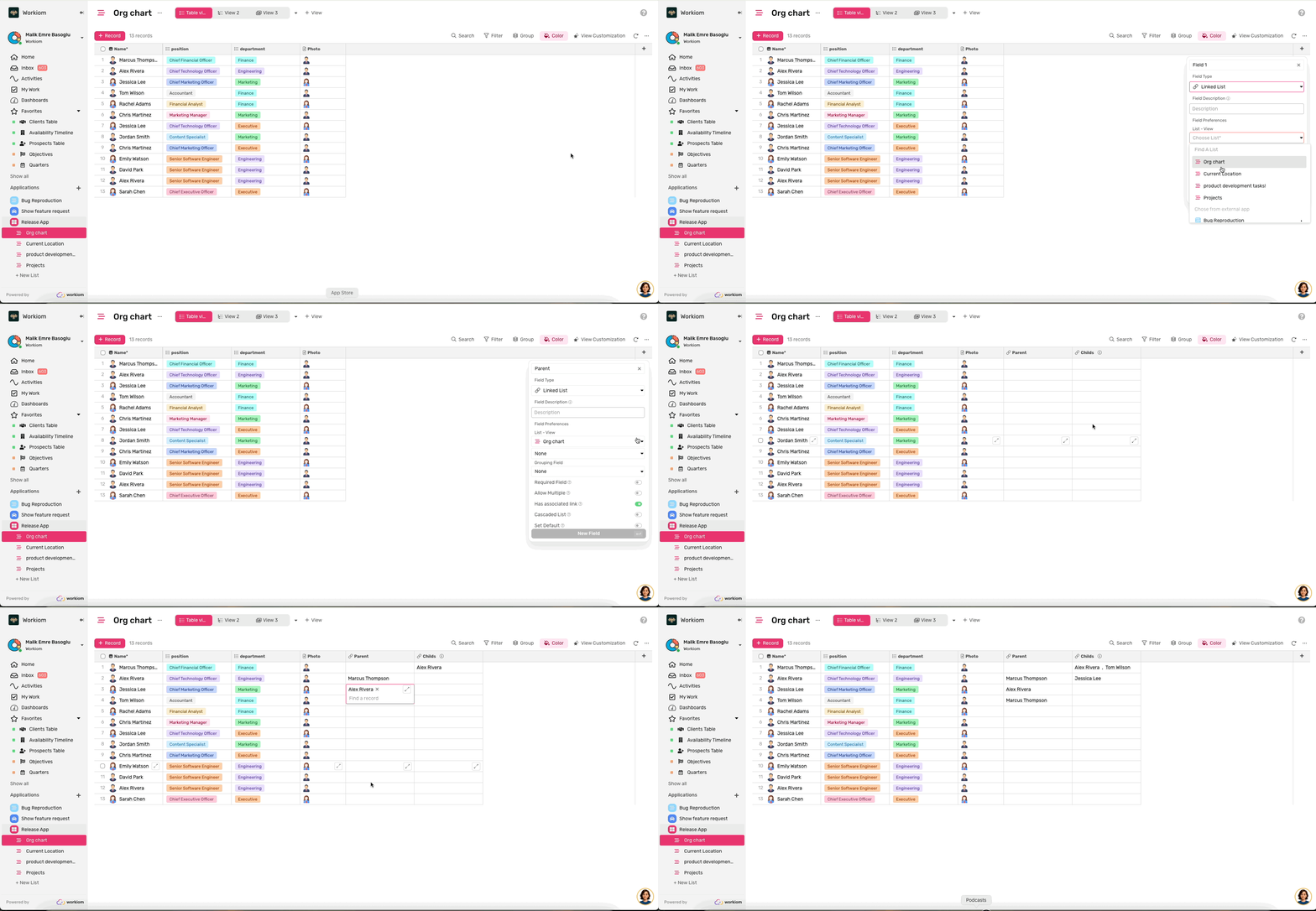
- In Table View, click Add Field and select Linked List
- Name it "Parent" and link it to the same list
- Enable "Has Associated" (required) and name the associated field "Child"
- Save the field, then link each record to its parent
2. Create the Tree View
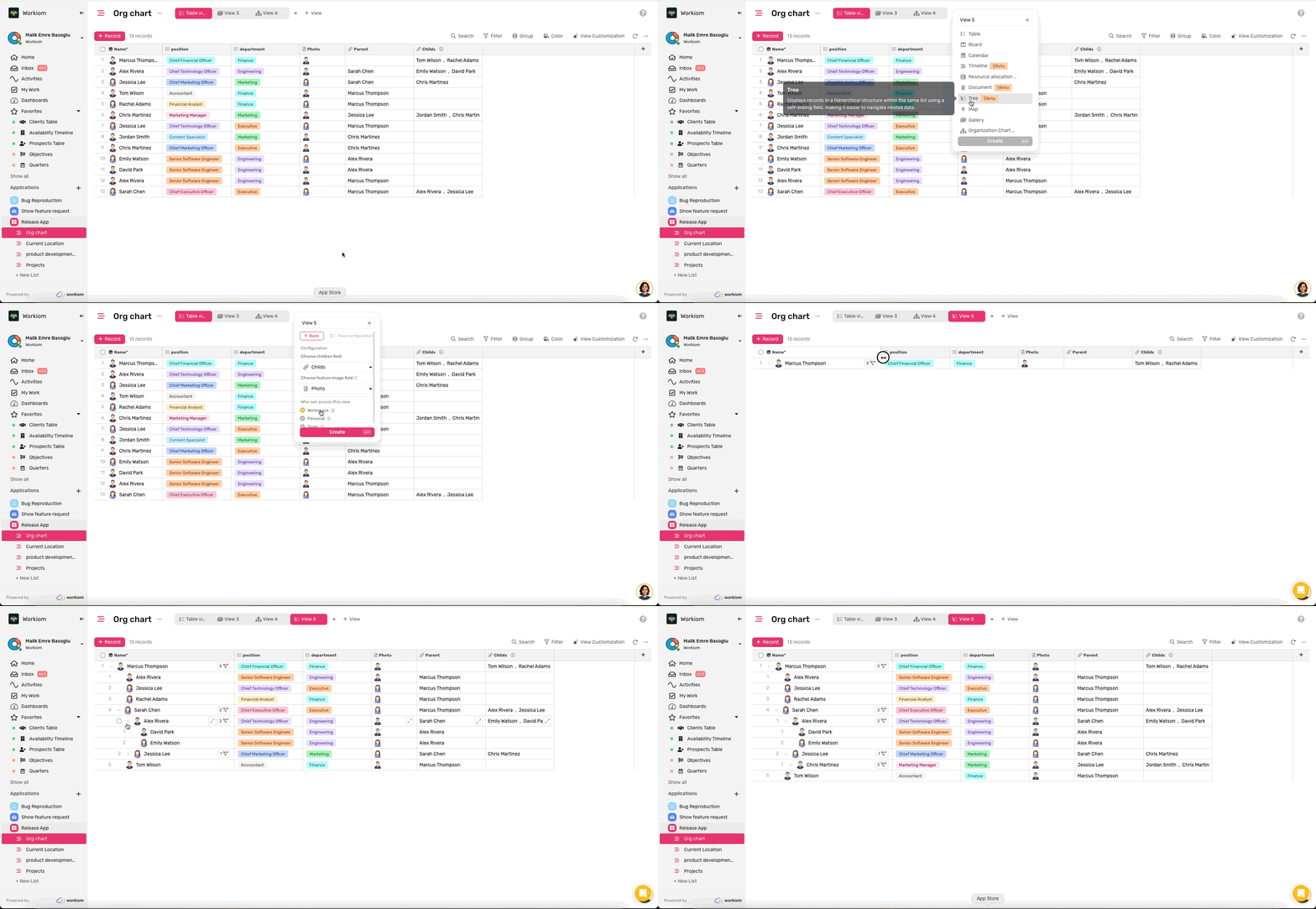
- Click Add View and select Tree View
- Choose the Child Field (required)
- Click Create View
When you first open the view, you'll see all records with their hierarchies fully expanded.
Navigate Your Tree View
- Expand/Collapse: Click the caret icon next to any record to show or hide its child records
- Visual Hierarchy: Each level of hierarchy is indented, making it easy to see the depth and structure
- View Details: Click any record to open the record detail modal
- Add Records: Use the Add Record button to create new records and manually link them to their parent, or create records directly from the child linked list field to automatically establish the parent-child relationship
Customize Your View
Control which fields are visible through the Fields option in view customization. Apply filters to focus on specific records, use search to find items quickly, or apply coloring to highlight important information—all while maintaining the hierarchical structure.
💡 Tip: Use the caret icons to collapse branches you don't need to see right now. This helps you focus on specific parts of your hierarchy without losing the overall structure.
Need help? Reach out to our support team or check out the full guide for using other views.