


Team Admin Role
Assign a Team Admin to manage app permissions for a specific team.

Transcript

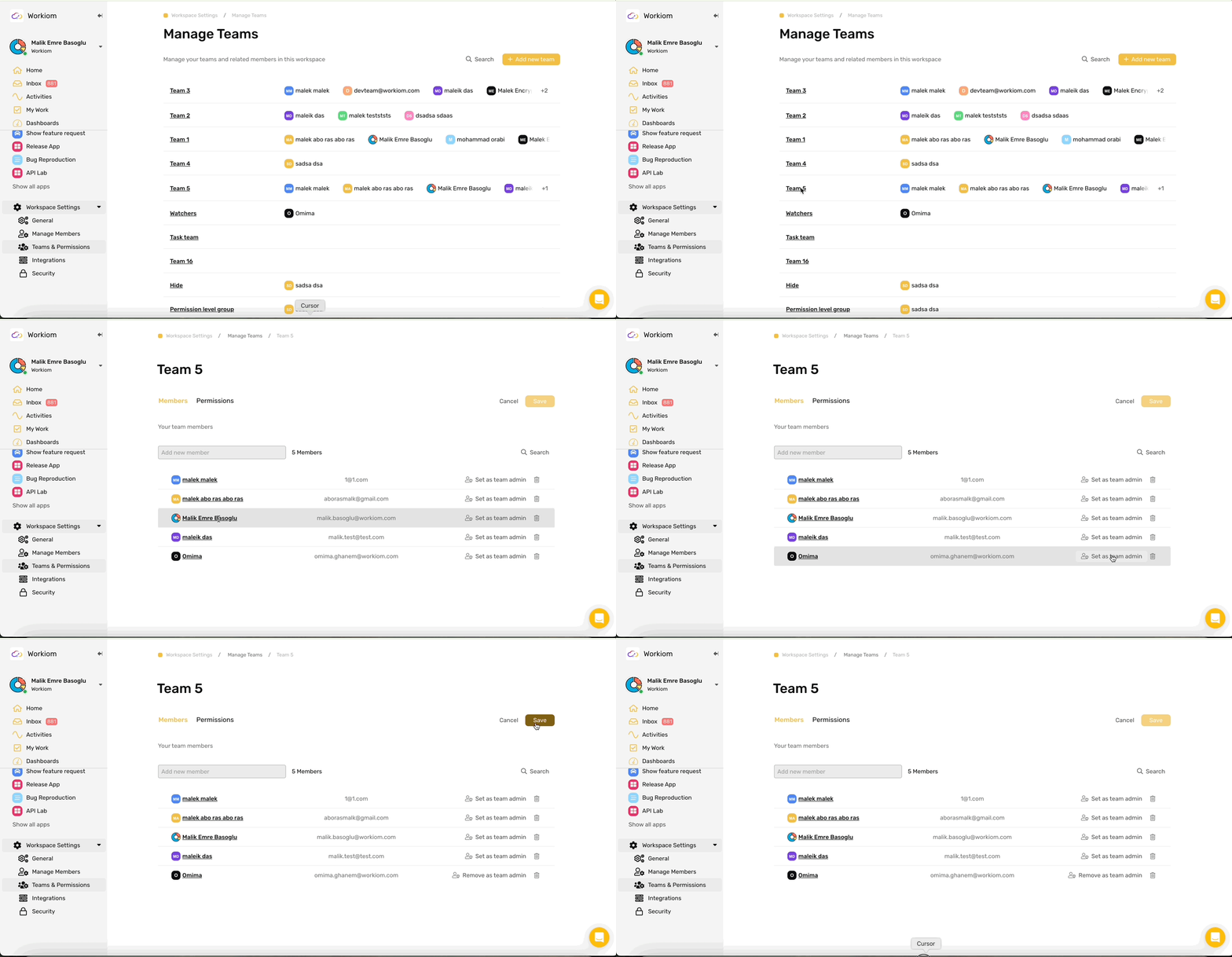
The Team Admin role lets Super Admins and Host Admins delegate team-level app permission management to a trusted team member without granting full workspace admin access.
Assign a Team Admin
Only Super Admins and Host Admins can assign the Team Admin role.
- Open Team Settings for the team you want to manage
- Select the member you want to promote
- Assign them the Team Admin role
Each team can have one Team Admin at a time. A user can be a Team Admin for multiple teams.
What a Team Admin Can Do
- Open and view the team's settings page
- View the team name and member list (read-only)
- Edit app permissions, including access level, list permissions, and field permissions, for apps already in the team's permission tree
- Add apps to the team's permission tree, but only apps they own
- Remove apps from the team's permission tree, but only apps they own
What a Team Admin Cannot Do
- Rename the team
- Add or remove team members
- Assign or remove Team Admins
- Change workspace-level settings such as Invite Members, Create App, or Create Dashboard
- Add, remove, or modify dashboard permissions
- Delete the team
Notes
- Without a Team Admin, only Super Admins and Host Admins can manage team permissions.
- Existing teams are not affected until a full admin assigns a Team Admin.